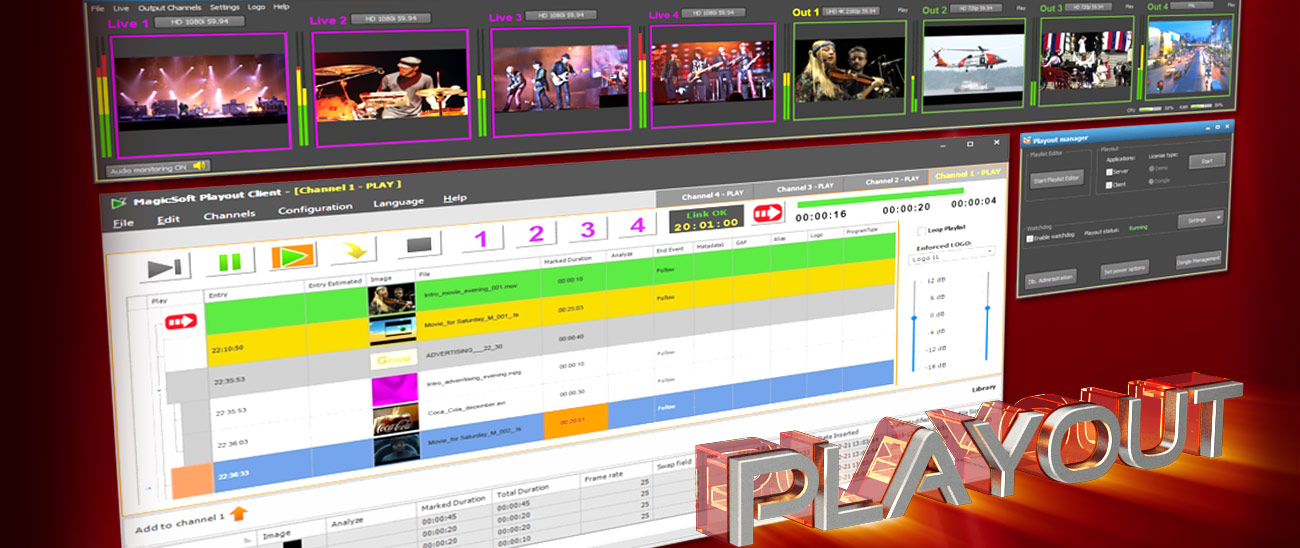


MagicSoft Playout software is designed as an intuitive and powerful multi-format playout solution for
professional environments such as broadcasting stations and production studios.
It's suitable for 24/7 playout for news, music and movie channels,
allowing to insert commercials and to switch between multiple live video.
It works under Windows 7 / 8 / 10 and 11 and equivalent Windows Server OS (64-bit only).
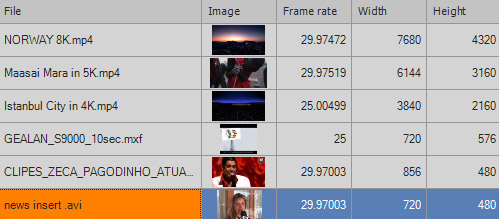
MagicSoft Playout accepts any type of media files with a size between 8K
(7680 x 4320) and 320 x 240 and the frame-rate accepted range is between 3 and 120 fps.
Supported LIVE inputs and outputs :
- BlackmagicDesign devices (Decklink & Intensity)
- NDI streams
- UDP streams

Output streaming supports resolutions between 4k and 360 x 288.
Some of the RTMP / RTMPS servers that work for 24/7 streaming are :
YouTube, Twitch, Wowza, Vimeo, Facebook and DaCast
There is also support for UDP ( supporting unicast and multicast by
using H264 with AAC, AC3 or MP2)
The supported video input and output modes are :
4K UHD 23.98 / 24 / 25 / 29.97 / 30 / 50 / 59.94 / 60
HD1080p 23.98 / 24 / 25 / 29.97 /30 / 50 /59.94 /60
HD1080i 50 / 59.94
HD720p 50 / 59.94
SD PAL / NTSC
The internal video engine will automatically resize, match aspect ratio and transcode
the media files and the live inputs in order to match the characteristics of the output.
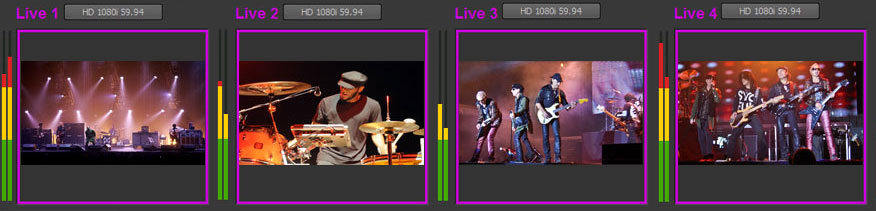
Up to 4 video inputs and 4 video outputs are supported and the inputs and outputs depend on the capability of the used devices :
- SDI with audio embeded
- SDI with audio AES
- YUV with analog audio
- Composite with analog audio
- HDMI
MagicSoft Playout client allows you to schedule a certain clip or live input to be started at the pre-establish time.
The skipped events or gaps that may appear will be marked as such.

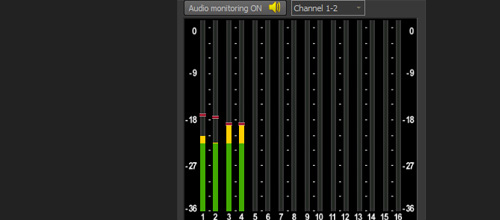
By using the "advanced audio" module, you can :
- set up to 16 audio output channels
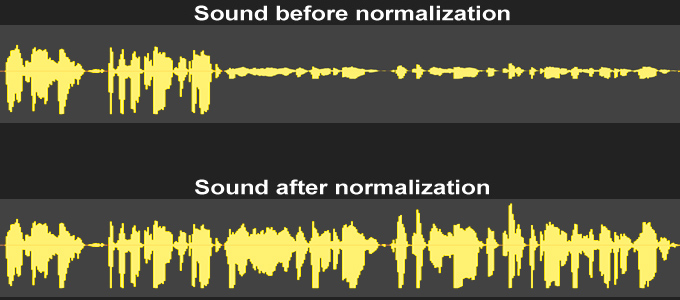
- apply real-time audio loudness normalization
The sound module allows applying loudness normalization for playout files
( EBU, NTSC, YouTube or custom normalization settings are supported )
Allows using media without requiring a manual adjustment of the sound level.
Other advantages:
- real-time automatically processing, without compression or distortion
- offers the best results even if the audio has a high dynamic range
- possibility to achieve a predictable loudness level
- guarantees that a signal does not clip

The conformance recorder module allows you to record the output of the Playout and
it can work with two profiles simultaneously.
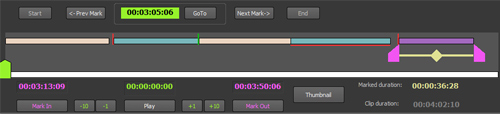
The timeline is flexible and intuitive, it allows scrubbing, marking and displaying the segments and it also shows the continuity or overlapping of the segments.

Multiple consecutive rows can be selected and transformed into a collapsible group.
Working with multiple level grouping is supported.
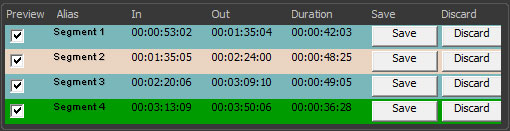
The trimming feature allows you to easily create segments and manage the properties of each segment.
The list of video codecs and containers tested in a broadcast environment :
- H264 AVC Intra 50 and AVC Intra 100 .mxf
- H264 8 bit and 10 bit .mp4 / .mov / .avi / .mkv and transport stream ( 4:2:0 and 4:2:2 )
- HEVC 8 bit and 10 bit .mp4 / .mov / .avi / .mkv and transport stream ( 4:2:0 and 4:2:2 )
- XdCAM 35 and XdCAM 50 .mov and mxf
- ProRes .mov
- DNxHD 8 bit and 10 bit .mov and .mxf
- DNxHR .mov and .mxf
- Mpeg2 program stream and transport stream ( 4:2:0 and 4:2:2 )
- DV .avi /.mov /.mxf and rawDV
- DVCPRO .avi and .mov
- DVCPRO HD .mov
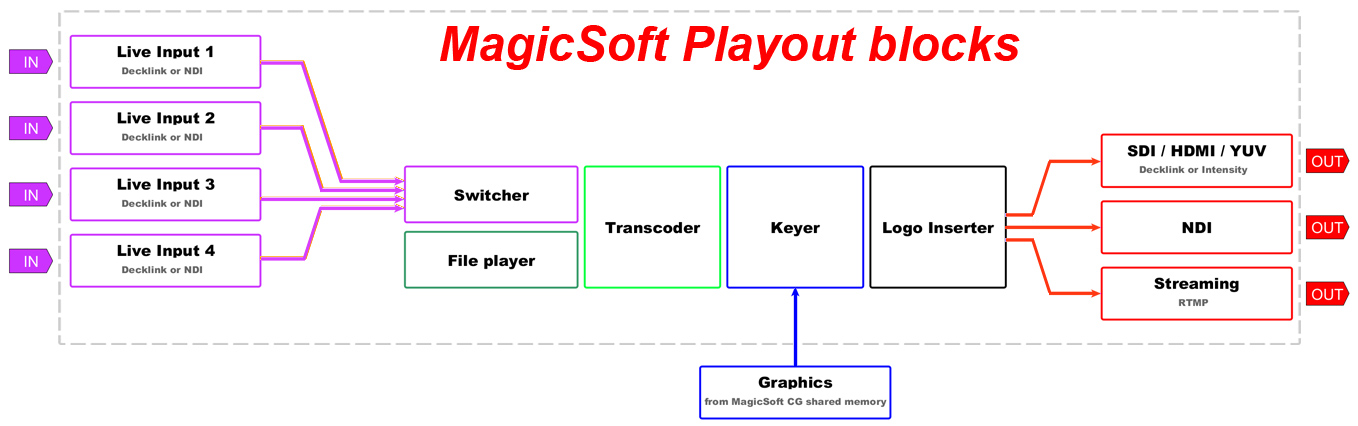
The functional blocks of the MagicSoft Playout are represented in the diagram.
The software has a watch-dog application that ensures the functionality of the MagicSoft Playout and sends the status and alerts by SMTP email.


